Procedures Services for partners & Enterprise

Support services overview

Here, you’ll find an overview of the different support services we offer to assist our clients and partners.

How to handle Architectual Advise & Code Review

AA & CR


đź§­ Procedure for Handling Architectural Advice (AA) and Code Review (CR) Requests


Whenever we receive an AA or CR request, the following process must be followed:


📥 1. Submission Flow


When the customer submits the form:


  • Partners: Credits will be automatically deducted.

  • Enterprise customers: No credits will be deducted, as these services are included in their support agreement.


Regardless of the type, all requests will appear as tickets in Intercom, containing the necessary information.


đź§‘‍đź’» 2. Assigning the Ticket


Once the ticket appears in Intercom:


  • Assign it to the BlackOps AA/CR Intercom channel

  •  

  • This ensures that BlackOps can review and handle the request.

  • The ticket will already include all relevant submission details.


📝 3. Linking Tickets for Transparency


To maintain clear communication:


  • In the AA/CR ticket, add a note with a link to the original customer ticket. Example
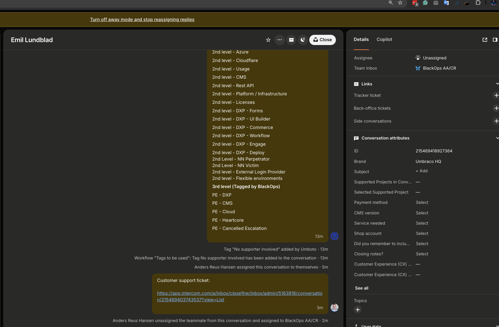
    • This allows BlackOps to refer back to the customer communication if further context or clarification is needed.

    • It ensures all customer interaction remains within the support team’s domain.


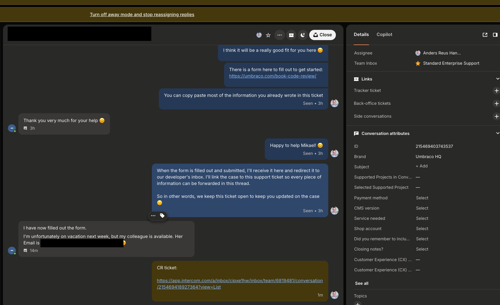
  • In the customer ticket, also add a note linking to the AA/CR ticket, so the full context is visible from both sides. Example


âť“ 4. What if There’s No Customer Ticket?


If there is no customer ticket, create a Side Conversation directly within the AA/CR ticket to handle any necessary communication.


SLA service credit claim

Introduction

Customers will be able to request a credit claim/monetary refund for overtime on their project.

All SLA service credit claims are assessed strictly according to the customer-facing SLA terms as published.

Support does not interpret or extend SLA rules beyond what is defined in the official SLA documentation and calculation spreadsheet.

1. Customer Expectations (What the customer is entitled to)

Customers are entitled to request an SLA service credit only if all conditions defined in the official SLA documentation are met, including but not limited to:

  • Professional plans only

  • Eligible service

    • Delivery API/frontend

    • Backoffice

    • Portal

  • Qualifying downtime

  • Submission within the allowed time window of up to 30 days from the incident

  • No excluded scenarios (e.g. planned maintenance, external factors, misconfiguration)

The official SLA rules and credit calculation logic as described in the SLA documentation and spreadsheet.

This same source is used internally by Support and Finance to align expectations and agreements.

2. Customer Submission

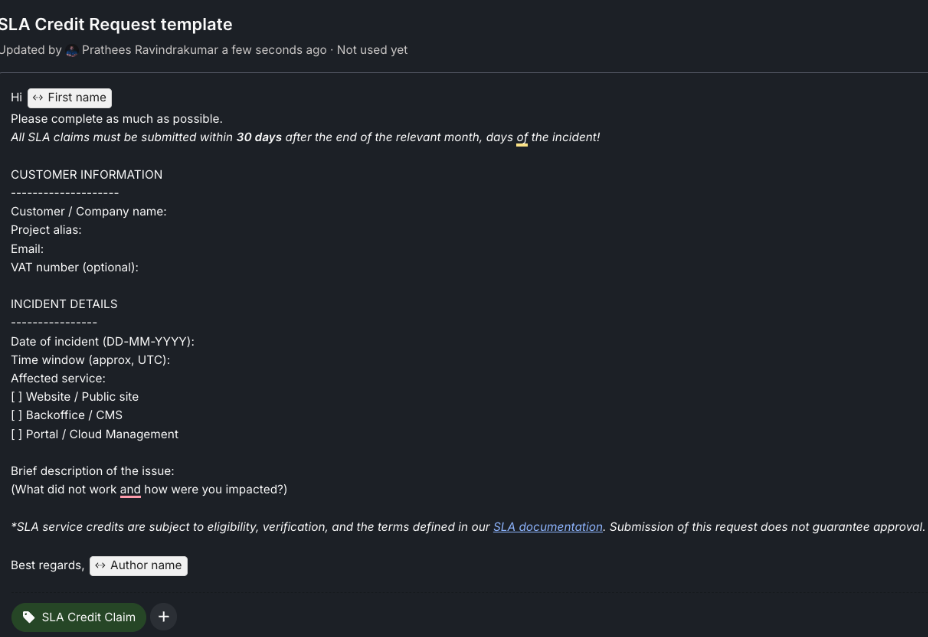
Support provides the #SLA Credit Request template macro in intercom and clearly states:

  • The burden of proof is on the customer, it is their responsibility to provide date and time.

  • Submission does not guarantee approval.

  • Claims are evaluated against the published SLA terms.

SLA credit request template macro

Note

SLA service credits are subject to eligibility, verification, and the terms defined in our SLA documentation. Submission of this request does not guarantee approval and customers must be assured of this.

3. Support Validation

Support must confirm:

  • Customer plan matches SLA-covered plans (professional)

  • Affected service is SLA-covered

  • Claim is submitted within the SLA-defined timeframe (30 days)

  • No SLA exclusions apply

  • Public incident on status.umbraco.io, verified via Azure monitoring/logs

  • Confirmed by SRE

Caution

If an incident does not meet the SLA definition → no credit, even if an inconvenience occurred.

4. Credit Calculation

Once an incident is outlined, investigations must begin with checking the eligibility of the credit claim.


Official SLA Documentation & Credit Calculation Spreadsheet

https://docs.google.com/spreadsheets/d/1IPmzZeVCnS2WR-8wZbpbnqPi8f-8o3JvN_QN-yoUZJE/edit?gid=1635935295#gid=1635935295

Key Rule

  • The spreadsheet reflects the exact same rules that the customer can see.

  • Support may not override, adjust, or “round up” credits; use exact figures from the spreadsheet results.

  • The spreadsheet output is final.

Warning

If the spreadsheet results in 0% credit, the claim is rejected — even if downtime occurred.

Caution

Please remember to delete entries to reset the spreadsheet for the next user 👍🏼

5. Escalation to SRE

Tip

Escalation to SRE is only for incident confirmation — never for entitlement or credit size.

If you have not directly handled the downtime and can therefore not independently confirm the downtime period:

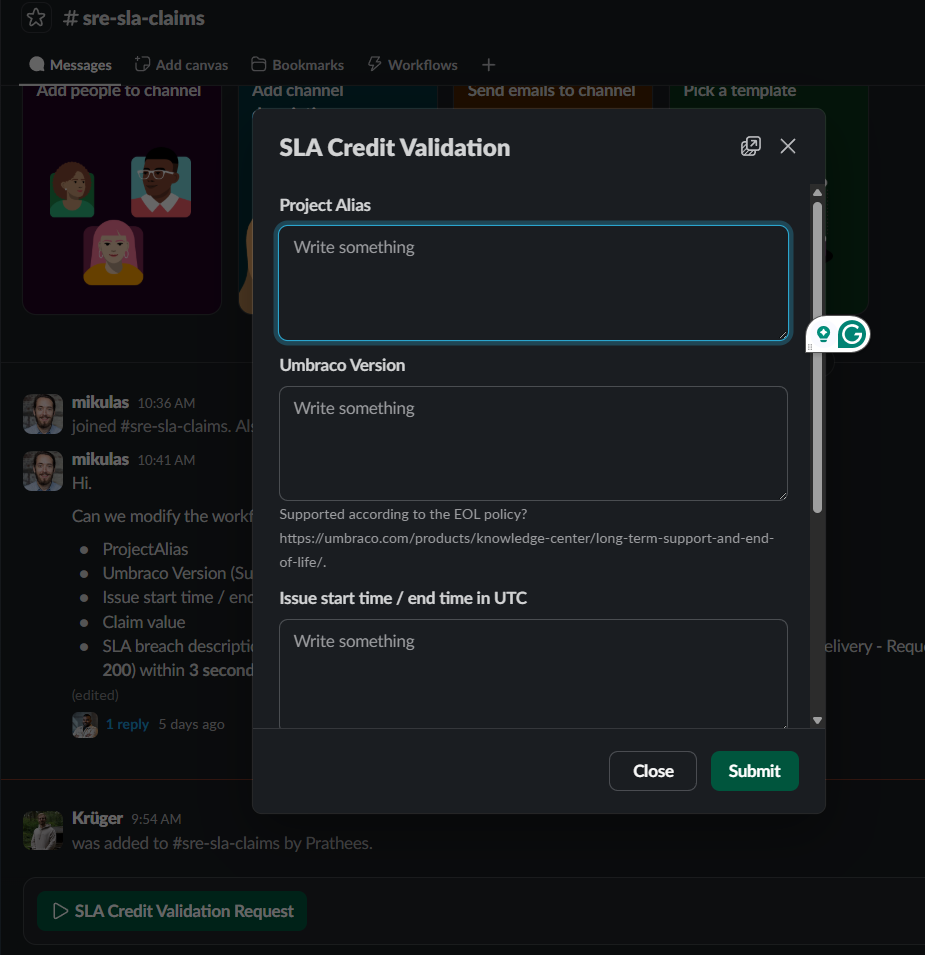
For final checks on the validity of the downtime, use Slack Workflow SLA Credit Validation Request in #sre-sla-claims.

#sre-sla-claims channel

6. Finance Handoff

Once the incident is identified and confirmed:

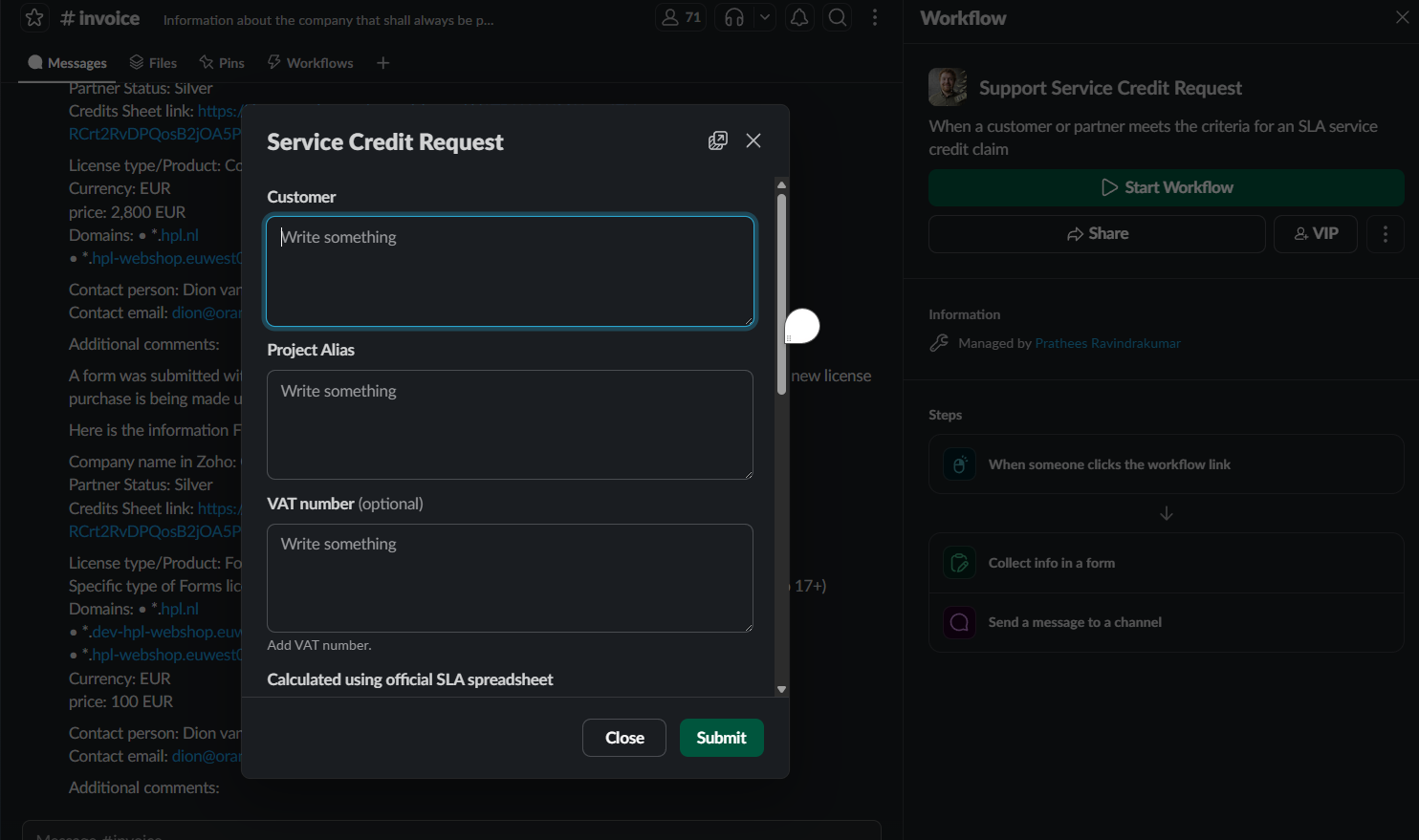
Use Slack Workflow Support Service Credit Request in #invoice

This signals to Finance that:

  • The amount matches customer-facing rules

  • No discretionary credit was applied

7 A. Customer response (APPROVED)

If a claim is deemed valid and approved:

Approval notices should explicitly reference the specific SLA breach and the corresponding calculation to ensure transparency. For example:

  • “The reported incident has been confirmed as a Service Level Failure under our SLA terms.”

  • “Your current plan is eligible for service credits, and the claim was submitted within the required window.”

  • “The recorded uptime for the period was [X.X%], which falls below the guaranteed threshold of [Y.Y%].”

  • “Based on the SLA credit table, a credit of [Z%] of your monthly fee has been applied to your account.”

Tip

Here it is also possible to use the #SLA Credit Claim — Approved ✅ macro in Intercom

7 B. Customer reponse (REJECTION)

If a claim is deemed unfit and rejected:


Rejection reasons should explicitly reference SLA conditions, for example:

  • “The reported incident does not qualify as an SLA incident under our SLA terms”

  • “Your plan does not include SLA service credits”

  • “The claim was submitted outside the allowed SLA submission window”

  • “The calculated credit according to the SLA terms is 0% and within the explicitly stated rules I.E 99.5% update”

This keeps Support neutral and consistent.

Tip

Here it is also possible to use the #SLA Credit Claim — Rejected ❌ macro in Intercom

Why do we do it like this?

We want to be consistent and transparent. Everyone has the same rules applied, regardless of partner status etc.
We use the same customer-facing SLA documentation internally to align with the customer.

  • Other benefits are:
    Faster approval by Finance

  • Reduced escalations and disputes

  • Predictable outcomes for customers